SEO can feel complicated when you have to check backlinks, keywords, page speed, website links, metadata, indexing, and technical issues separately. The right free SEO tools can make this process much easier.
Whether you manage a business website, blog, ecommerce store, or client websites, regular SEO checks can help you identify technical problems and improve your website structure.
WaooTools provides a collection of free SEO and website analysis tools that you can use for backlink analysis, keyword research, metadata, links, domains, page speed, indexing, and other website tasks.
1. Start With an SEO Audit
Before making individual SEO changes, it's useful to understand the overall condition of your website.
An SEO audit can help you identify areas that may need attention, including technical SEO, on-page elements, links, metadata, and other website factors.
Start by checking your website with the WaooTools SEO Audit.
An audit gives you a starting point so you can prioritize the issues that matter most to your website.
2. Check Your Website Backlinks
Backlinks are links from other websites pointing to your website.
Checking your backlink profile can help you understand:
- Which websites are linking to you
- Which pages are receiving backlinks
- What anchor text is being used
- Which referring domains appear in your backlink data
- How your backlink profile compares over time
You can use the WaooTools Backlink Checker to review backlink information for a domain or URL.
WaooTools uses Moz as the data source for its backlink information, and the website notes that backlink databases may not contain every link on the web. Therefore, backlink results should be treated as a research signal rather than a complete list.
3. Analyze Internal and External Links
Internal linking is an important part of website structure.
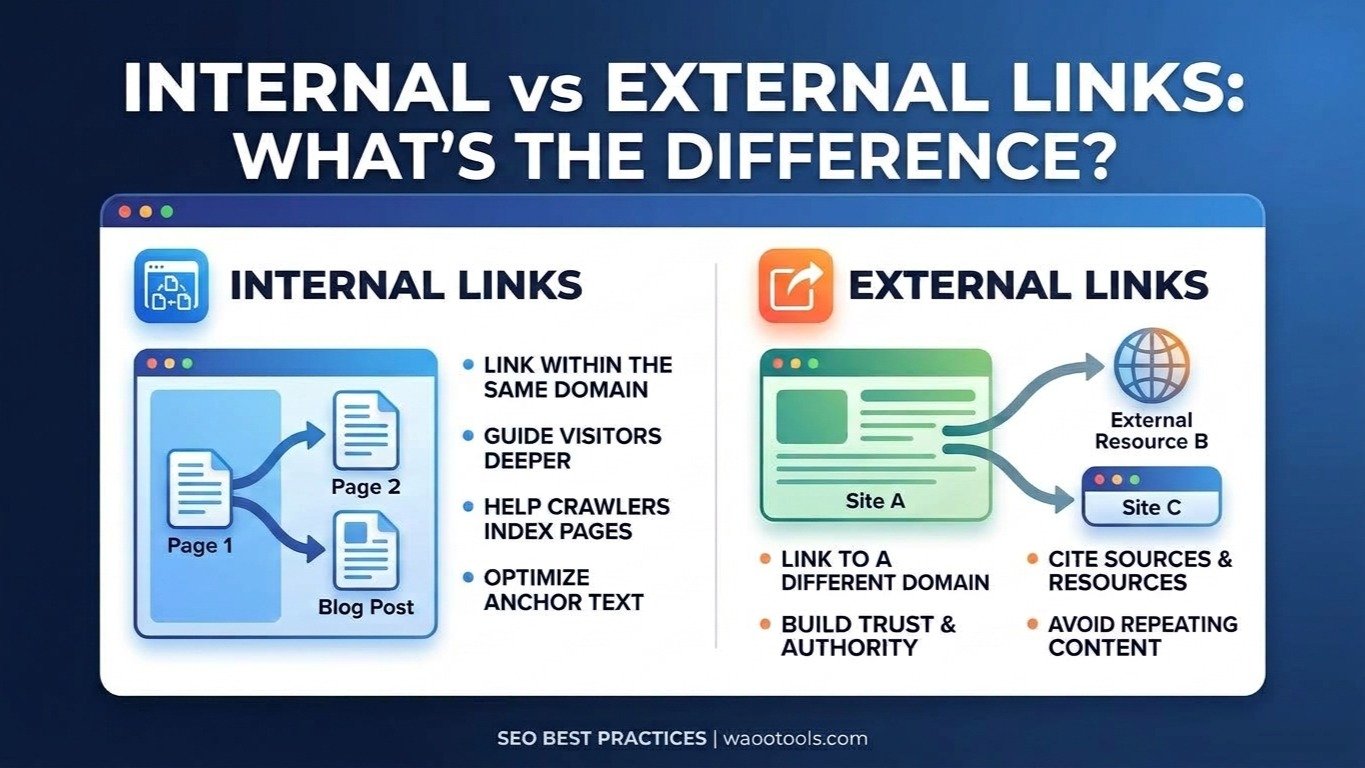
Internal links connect pages on the same website, while external links point to other websites.
Analyzing your links can help you understand:
- Total links on a page
- Internal links
- External links
- Dofollow links
- Nofollow links
- Frequently linked external domains
The WaooTools Link Analyzer provides a breakdown of these link types.
This can be particularly useful when performing an SEO audit or reviewing the internal linking structure of an important page.
4. Extract Links From a Webpage
If you need to review all the URLs on a webpage, checking the HTML manually can take time.
The WaooTools Link Extractor can extract detected links from a webpage along with their URL and anchor text. It can also identify internal and external links.
This can be useful for:
- SEO audits
- Internal link analysis
- Anchor text reviews
- Website maintenance
- Content analysis
- Competitor research
5. Check Your Page Speed
Website performance is another important part of maintaining a good user experience.
A page speed check can help you understand whether a webpage has performance issues that may need attention.
Use the WaooTools Page Speed Checker to analyze your website's loading performance.
You can also use the WaooTools PageSpeed Insights Checker for additional performance analysis.
When working on website speed, don't focus only on achieving a perfect score. Look at the actual performance issues and determine which improvements are relevant to your website.
6. Review Your Meta Tags
Meta titles and descriptions help describe webpages to search engines and users.
Important pages should have relevant and descriptive metadata.
You can use the WaooTools Meta Tags Analyzer to review the metadata of a webpage.
You can also create metadata with the WaooTools Meta Tag Generator.
When writing titles and descriptions, focus on accurately describing the page rather than repeating the same keyword unnecessarily.
7. Check Keyword Positions
If you're working on SEO, you need to understand how your target keywords perform in search results.
The WaooTools Keyword Position Checker can help you check keyword rankings.
Instead of tracking only one keyword, consider monitoring groups of related search terms for important pages.
For example, an ecommerce website might monitor keywords related to:
- Product categories
- Individual products
- Brand searches
- Commercial searches
- Informational searches
This gives you a broader view of your organic search visibility.
8. Check Keyword Density
Keywords are useful for understanding what a page is about, but repeatedly adding the same keyword does not automatically improve rankings.
The WaooTools Keyword Density Checker can help you review how frequently words and phrases appear in your content.
Use keyword density as a content review signal rather than trying to reach a specific percentage.
Your primary goal should be creating useful content that clearly answers the visitor's question.
9. Generate an XML Sitemap
An XML sitemap helps search engines discover URLs on your website.
You can create one using the WaooTools XML Sitemap Generator.
After generating your sitemap, make sure it is available at the correct URL and submit it through Google Search Console when appropriate.
You can also use Google Search Console to monitor search performance and indexing information for your website.
10. Create a Robots.txt File
The robots.txt file provides crawling instructions for compliant search engine crawlers.
The WaooTools Robots.txt Generator can help you create a robots.txt file based on your requirements.
Be careful when blocking URLs or directories. A mistake in robots.txt can prevent search engine crawlers from accessing pages or resources that you actually want them to discover.
WaooTools also explains an important distinction: robots.txt controls crawling, not indexing. If a page needs to be removed from search results, robots.txt is not a replacement for an appropriate noindex directive.
11. Find Broken Links
Broken links can occur when pages are deleted, URLs are changed, or external websites remove content.
Regularly checking important pages can help you identify broken links that need to be fixed.
Use the WaooTools Broken Links Checker to check webpages for broken links.
Depending on the situation, you may need to:
- Update the URL
- Replace the link
- Remove the link
- Redirect an old page
- Find an alternative resource
12. Check Domain Authority
SEO professionals often use third-party metrics to research domains and backlink opportunities.
The WaooTools Domain Authority Checker allows you to check domain authority for URLs.
These metrics can be useful for research and comparison, but they should not be treated as direct Google ranking scores.
Use them together with other information such as backlink relevance, content quality, organic visibility, and website history.
13. Check MozRank
MozRank is another link-related metric that can be used when researching a website's backlink profile.
The WaooTools MozRank Checker allows you to check a URL's MozRank.
It can be useful when researching potential backlink opportunities or reviewing changes in a website's link profile.
14. Check Domain Age
Domain research can be useful when analyzing competitors, researching websites, or evaluating a domain.
The WaooTools Domain Age Checker provides domain registration information including the registration date, current age, and expiration date.
Keep in mind that an older domain does not automatically rank higher in Google. Domain age should be considered as research information rather than a standalone SEO strategy.
15. Check Google Indexing
If you publish new pages or make major website changes, it's useful to check whether important URLs are appearing in Google's index.
The WaooTools Google Index Checker can be used as one of your website checking tools.
For more detailed information about your own website's indexing and search performance, use Google Search Console.
How to Use SEO Tools Effectively
You don't need to run every SEO tool every day.
A simple SEO workflow can look like this:
Step 1: Audit your website
Start with an SEO audit and identify the main technical and on-page issues.
Step 2: Check important pages
Review your homepage, service pages, product pages, category pages, and important blog posts.
Step 3: Review your links
Use the Link Analyzer and Link Extractor to understand your internal and external linking structure.
Step 4: Check backlinks
Review your backlink profile and investigate relevant referring domains.
Step 5: Review your keywords
Monitor your important search terms and identify pages that may need better content or optimization.
Step 6: Check performance
Run page speed checks on important pages, particularly pages receiving organic and paid traffic.
Step 7: Check technical SEO
Review your sitemap, robots.txt, indexing, broken links, metadata, and other technical elements.
Step 8: Monitor changes
SEO is an ongoing process. Websites change, content gets updated, URLs are removed, and new competitors enter the search results.
Regular checks can help you find problems earlier.
Use WaooTools for Your Daily SEO Tasks
You don't always need expensive SEO software to perform basic website checks.
WaooTools brings together a wide range of free SEO tools, website analysis tools, domain tools, link tools, and digital utilities in one platform. The current WaooTools homepage lists tools for backlinks, keywords, metadata, indexing, domains, links, page speed, security, and other website tasks.
Whether you're an SEO specialist, digital marketer, website owner, developer, blogger, or agency, you can use these tools to make routine website analysis faster.
Start exploring the free tools: Visit WaooTools