A website can have great content and still struggle to get traffic from search engines. Sometimes, the problem isn't what you're publishing but what's happening behind the scenes.
Missing meta descriptions, broken links, slow-loading pages, indexing problems, and weak internal linking can all affect your website's SEO. These issues are easy to overlook when you're focused on publishing new content or growing your business.
That's where a website SEO audit comes in.
A proper SEO audit helps you understand how your website is performing, identify problems that need attention, and decide which improvements to make first. Instead of guessing what's wrong, you can work through the issues one by one.
In this guide, we'll walk through the main steps of a website SEO audit and explain how you can use online tools to make the process easier.
What Is a Website SEO Audit?
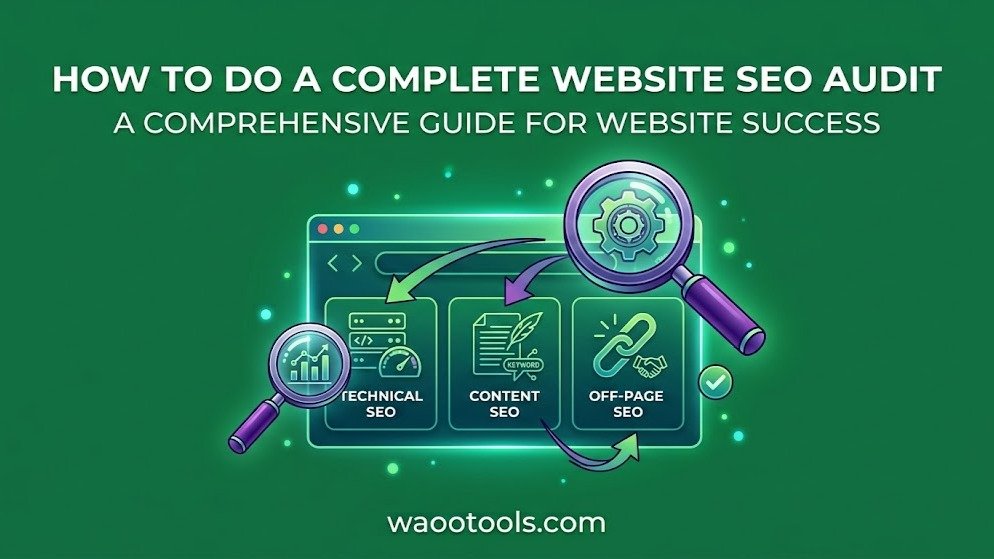
A website SEO audit is a detailed review of your website's technical setup, content, links, and other factors that can affect its visibility in search engines.
It helps you identify problems that might prevent search engines from discovering your pages or make it harder for visitors to navigate your website.
For example, you might discover that important pages have missing meta descriptions, several internal links lead to broken pages, or certain URLs are blocked from indexing.
An audit brings these issues together so you can understand what's happening and take action.
If you're new to SEO, Google Search Central is a useful resource for learning how crawling, indexing, and search visibility work.
Step 1: Crawl Your Website to Find SEO Issues
Before fixing individual problems, start by getting an overview of your website.
A website crawl helps you examine pages and discover issues that might otherwise go unnoticed. Depending on the tool and crawl settings, it can identify broken links, redirects, missing metadata, and other technical or on-page problems.
During your audit, look for:
-
Pages returning HTTP errors
-
Missing or duplicate page titles
-
Pages without meta descriptions
-
Broken internal links
-
Redirect chains and unnecessary redirects
-
Missing headings or poorly structured content
-
Pages that are difficult to reach through internal links
The WaooTools SEO Audit Tool can help you review website SEO issues and get a clearer picture of what needs attention.
Keep in mind that a crawl may not cover every page on a large website. The results depend on the tool's capabilities, crawl limits, and website configuration.
Once you have the report, focus on problems affecting important pages rather than trying to fix everything at once.
Step 2: Check Your On-Page SEO
On-page SEO helps search engines and visitors understand what each page is about.
Start with your most important pages, such as your homepage, service pages, product pages, and articles that attract organic traffic.
Check the following elements:
-
Page titles: Make sure each important page has a clear, relevant title.
-
Meta descriptions: Write useful summaries that explain what visitors can expect.
-
Headings: Organize content with descriptive H2 and H3 headings.
-
Content quality: Answer the reader's questions without unnecessary repetition.
-
Canonical tags: Check that canonical URLs point to the intended versions of your pages.
-
Robots directives: Make sure important pages aren't accidentally marked as
noindex. -
Image alt text: Describe meaningful images accurately.
-
URL structure: Keep URLs understandable and relevant to the page content.
If you need help creating metadata, try the WaooTools Meta Tag Generator. It can help you prepare SEO metadata and social sharing tags.
Remember that optimizing these elements doesn't guarantee higher rankings. Their purpose is to help communicate your content clearly and support your broader SEO strategy.
Step 3: Review Your Internal Linking Structure
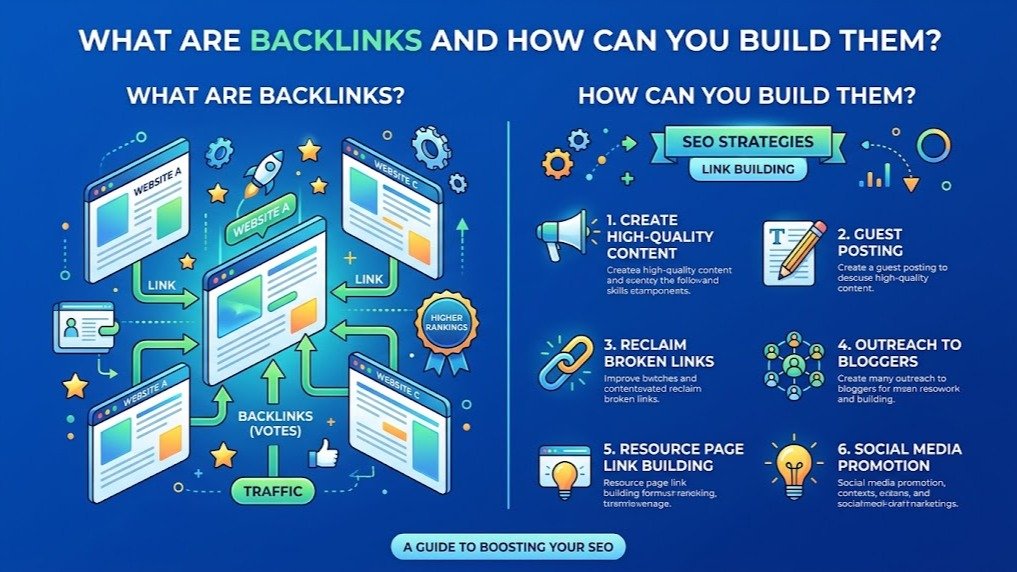
Internal links connect different pages on your website. They help visitors discover related content and help search engines find pages and understand how your website is organized.
For example, if you publish an article about backlink analysis, you could link to a related guide about link building or a relevant SEO tool.
Without useful internal links, some pages may be difficult to discover, even if they contain valuable information.
During your audit, check whether:
-
Important pages have links from relevant pages.
-
Blog posts link to related articles and tools.
-
Links use descriptive anchor text.
-
Internal links lead to the correct URLs.
-
Important pages can be reached without navigating through too many unrelated pages.
You can use the WaooTools Internal Links Checker to review internal links found on a webpage.
There is no fixed number of internal links that every page needs. Focus on creating meaningful connections that help visitors find the information they're looking for.
Step 4: Find and Fix Broken Links
Broken links are a common problem on websites that have been around for a while.
Pages get deleted, URLs change, and external websites move or remove their content. When links aren't updated, visitors may end up on error pages instead of reaching the information they expected.
Broken links can also make website maintenance more difficult, particularly when they appear across multiple pages.
Use the WaooTools Broken Links Checker to identify links that may be pointing to unavailable destinations.
When you find a broken link, decide how to handle it:
-
Update the link: Replace the outdated URL with the correct destination.
-
Remove the link: If the resource is no longer relevant, remove it.
-
Redirect the old URL: If a page has permanently moved, use an appropriate redirect when necessary.
-
Replace the resource: Find a suitable alternative if the original external page is no longer available.
Don't assume every error response means a link is broken. Some websites block automated requests, and certain URLs may return temporary errors. Check the destination before making changes.
Step 5: Test Your Website's Speed and Performance
A slow website can frustrate visitors, especially when pages take too long to load on mobile devices.
Performance should be part of your SEO audit because it affects how people experience your website. Google also uses page experience signals, including Core Web Vitals, as part of its broader ranking systems.
Start by testing important pages rather than checking only your homepage.
The WaooTools Page Speed Checker can help you perform a quick website response-time check.
For more detailed performance information, use Google PageSpeed Insights.
Pay attention to areas such as:
-
Image sizes: Large images can increase loading times.
-
JavaScript: Unnecessary scripts may delay page rendering or interaction.
-
CSS: Inefficient or render-blocking styles can affect how quickly content appears.
-
Caching: Appropriate caching can reduce the need to download the same resources repeatedly.
-
Server response time: Slow hosting or application processing can delay requests.
-
Core Web Vitals: These metrics help evaluate loading performance, responsiveness, and visual stability.
Don't focus on achieving a perfect score just for the sake of it. Identify the issues that have the greatest impact on real users and work on those first.
Step 6: Check Your External Links
External links connect your website to pages on other domains. They can provide additional information, support your claims, and help visitors find useful resources.
However, links can become outdated over time. A page that was once available might have been removed, redirected, or replaced with unrelated content.
During your audit, review the external links on your important pages.
Check whether:
-
The destination is still available.
-
The linked content is relevant to your topic.
-
The page provides useful information.
-
The link points to the intended website.
-
The anchor text accurately describes the destination.
The WaooTools External Links Checker can help you identify external links found on a webpage.
There's no need to remove every external link from your website. Keep links that provide value to readers, and replace or remove those that no longer serve a useful purpose.
Step 7: Review Technical SEO and Website Security
Some SEO problems aren't immediately visible when you browse a website.
Your pages might load normally in a browser while technical settings create problems for crawling, indexing, or URL handling.
That's why a complete website audit should include a review of important technical elements.
Check Your SSL Certificate
Make sure your website uses HTTPS and that its SSL certificate is valid. Investigate certificate errors, insecure resources, or redirect problems that prevent visitors from accessing the secure version of your website properly.
Review Your Robots.txt File
Your robots.txt file provides instructions to compliant crawlers about which areas of your website they may access.
Check that it doesn't unintentionally block important pages or resources.
Remember that robots.txt restrictions and indexing restrictions are different. Blocking a URL from crawling does not necessarily prevent that URL from appearing in search results.
Check Your XML Sitemap
Your XML sitemap should include the important URLs you want search engines to discover.
Review it for outdated URLs, redirects, error pages, and pages that shouldn't be indexed.
Submitting a sitemap can help search engines discover URLs, but it doesn't guarantee that every URL will be crawled or indexed.
Review HTTP Status Codes and Redirects
HTTP status codes tell you how a server responds to a request.
For example, a 200 response generally indicates success, a 301 indicates a permanent redirect, and a 404 indicates that the requested resource wasn't found.
Unexpected errors, redirect loops, and incorrect redirects can create problems for visitors and search engines.
Check Your DNS Records
DNS records help direct traffic to the correct servers and services.
If you're troubleshooting a website migration, email configuration, or hosting issue, reviewing your DNS records can help identify configuration problems.
The WaooTools DNS Records Lookup can help you inspect publicly available DNS records.
For more guidance on crawling and indexing, refer to the Google Search documentation.
Step 8: Organize Your Findings and Fix the Most Important Problems First
After completing the audit, you'll probably have a list of issues to address.
The next step is deciding which ones deserve attention first.
Not every issue has the same impact. A broken link on an important service page may deserve attention before a minor formatting problem on an older blog post.
Organize your findings into three priority levels.
High-Priority Issues
These are problems that may seriously affect important pages or prevent search engines from accessing them properly.
Examples include:
-
Important pages returning server errors.
-
Accidental
noindexdirectives on pages that should be indexed. -
Incorrect redirects affecting important URLs.
-
Major internal linking problems.
-
Critical crawling or website availability issues.
Medium-Priority Issues
These problems are worth fixing but may not require immediate action.
Examples include:
-
Missing or duplicate meta descriptions.
-
Weak internal linking.
-
Slow-loading pages.
-
Broken links on relevant content.
-
Incorrect canonical tags on selected pages.
Low-Priority Improvements
These are smaller improvements that can be handled after more important issues.
Examples include:
-
Minor formatting inconsistencies.
-
Improvements to image alt text.
-
Small metadata refinements.
-
Other non-critical content improvements.
Use this prioritization as a starting point rather than a universal rule. The importance of an issue depends on the page, the website, and the actual consequences of the problem.
Once you've completed the most important fixes, run another audit to see whether the problems have been resolved.
How Often Should You Perform an SEO Audit?
There isn't one schedule that works for every website.
A small website with relatively few changes may need a different audit routine from a large ecommerce store that publishes products and updates URLs every day.
As a general approach, consider:
-
Regular checks: Monitor important pages, indexing, and website performance.
-
Periodic audits: Review technical SEO, links, metadata, and content on a recurring schedule.
-
After major updates: Audit the website after redesigns, migrations, URL changes, or significant changes to its structure.
If you notice a sudden drop in organic traffic, investigate the cause rather than waiting for your next scheduled audit.
Check Google Search Console, review recent website changes, and look for technical issues that could explain the decline.
Final Thoughts
A website SEO audit is about more than finding errors or achieving a high audit score. It's about understanding how your website works, identifying issues that matter, and making improvements that help visitors and search engines.
Start by crawling your website, reviewing on-page SEO, checking internal and external links, testing performance, and examining technical settings.
Then organize your findings by priority and work through the most important problems first.
You don't have to fix everything in a single day. Even a few well-chosen improvements can make your website easier to maintain and provide a better experience for visitors.
If you want to get started, explore the WaooTools SEO Audit Tool to review your website and identify areas that may need attention.
Use the findings to build a practical action plan, make the necessary changes, and check your results again.